
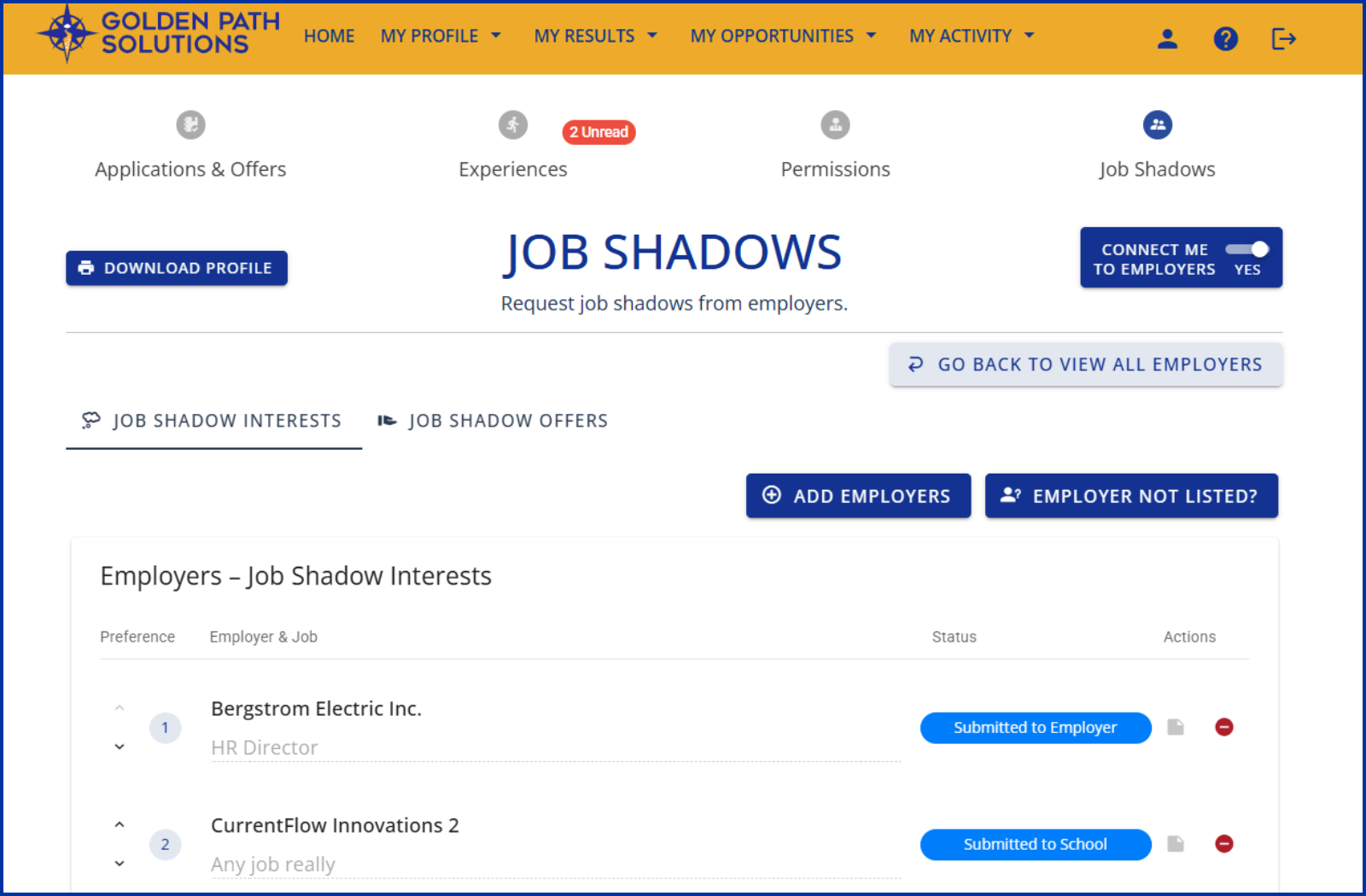
Job shadows are a simple, low-commitment way to introduce your company and careers to students. Typically a two- to four-hour experience on site, it’s an opportunity to highlight your workplace, showcase a career or two, introduce the student to a few employees, and provide an opportunity for the student to observe a career in action and ask questions.
Job shadows are easily managed in Compass, with students, school professionals, and employers having access. Thanks to a recent Compass feature release, students can now even request job shadows directly from their school and you.
Job shadow benefits for employers
Job shadows are a great introduction to offering student experiences at your company. They don’t require much planning, are completed in just a few hours, and can be repeated for other students. You can manage all aspects of the job shadow, including applications and acceptances, in Compass. Job shadows typically target students in grades 10 to 12.
They are also a good way to meet students before you choose to offer them more formal work-based learning experiences, such as internships or mentorships, or a scholarship or tuition assistance for postsecondary school. In the same way, they provide students a chance to get to know you and your careers to see if they are interested in future opportunities.
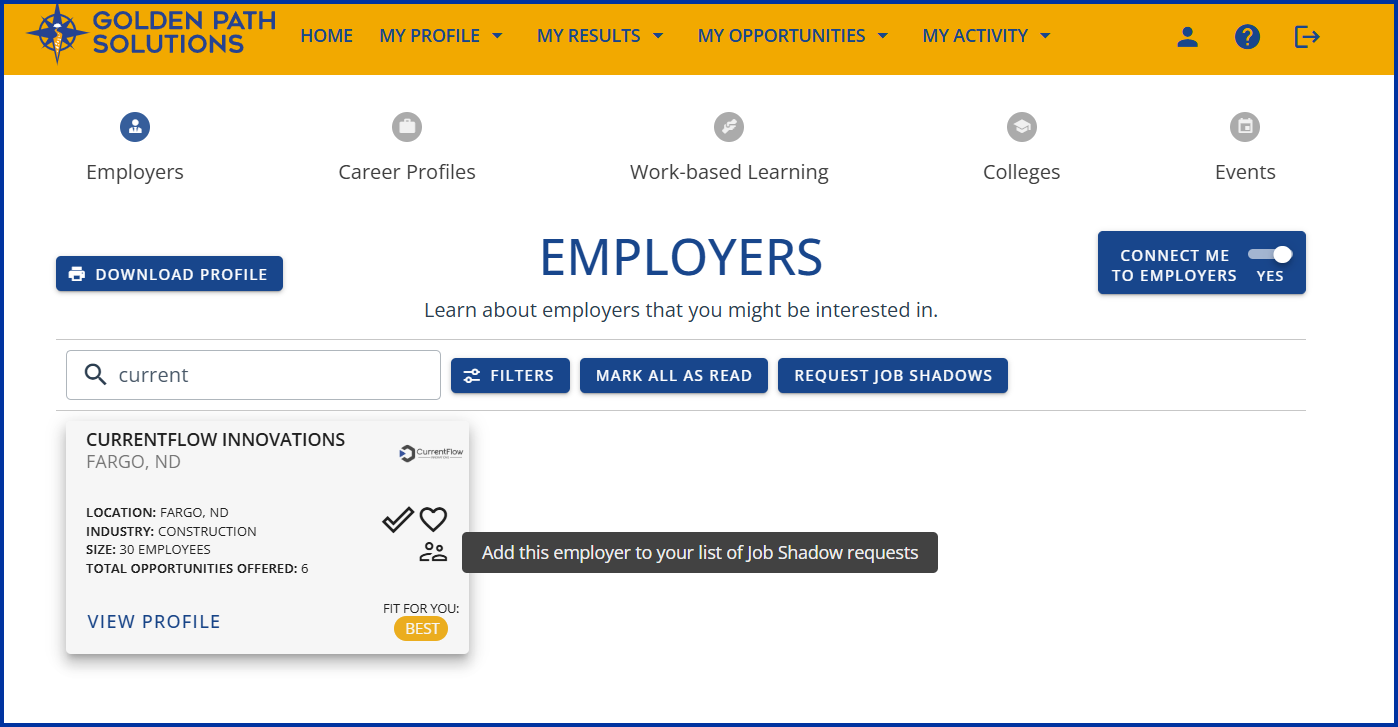
Compass Student View: Students can quickly see which employers offer job shadows thanks to the person icon on the employer cards in Compass. Selecting the icon immediately adds the job shadow to their request list.

Compass Student View: From an employer’s profile page in Compass, students can click Request Job Shadow to directly ask that employer to provide a job shadow experience. Employers can also offer specific job shadows in Compass.
Managing job shadows in Compass
Offering job shadows in Compass is easy.
- Sign in to your Compass
- Ensure your company profile is up to date, including contact information, helpful links, and social accounts.
- Go to Profile >> Update the Employer Connections Database and ensure Job Shadow is checked. Now, students will see that your company offers job shadows and can work with their counselor to reach out to you and set something up.
- You can also create specific job shadows. Go to Opportunities >> Create New and in the drop-down bar titled Type of Work-Based Learning Opportunity, select Job Shadow. Complete the rest of the form with details such as a job shadow name, overview, hours and schedule, contact information, and Compass publish start and end dates. Hit Submit.
- Watch for emails from students requesting job shadows or calls from school professionals.
- Review student applications under Applications >> Job Shadows >> View. Offer or reject applications, set a job shadow schedule, or add additional information.
- You can always say no if a particular time or offering doesn’t work for you, or you can guide students to other management systems, if needed.
You can expand your Compass offerings to include work-based learning experiences, Career Profiles, and Sponsorships (tuition assistance in exchange for a signed work agreement from a student).
For more information
Contact us if you have questions about offering job shadows or using Compass.
Let us know how we can better meet your future workforce development needs. We’re listening!