

Welcome to Golden Path Solutions and Compass news for parents!
Your student has access to the online platform Compass through their school. It’s designed to provide them with meaningful career exploration opportunities and plan for their futures.
Watch your school’s parent communications for the latest news from Compass. You can also sign up to receive quarterly parent emails from Golden Path.
Helping students find employers with Compass filters
(April 2026)
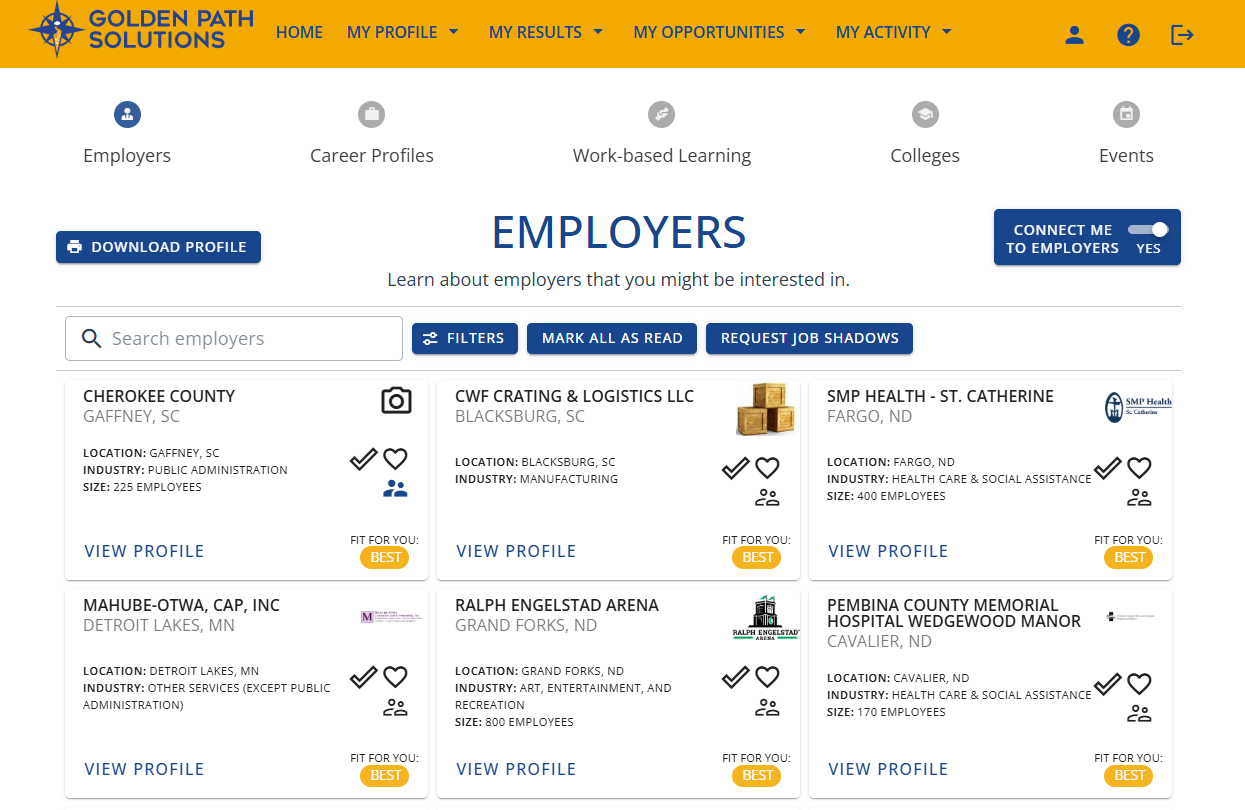
Compass proactively matches students with employers who are the best fit for their skills and interests. But students may also want to browse employers based on location, internships, industries, or a variety of other options. It’s another way to learn more about career options, the types of employers who are interested in connecting with students, and to gain an overall sense of what is available to them.
We’ve made this employer search process easy with our advanced filters in Compass.
Here’s how your student can use Compass employer filters:
- Students can access Compass through Spuds Landing > Links > District Resources > Compass.
- They select Opportunities >> Employers.
- Employers marked as the Best match will appear at the top of the list. We recommend students browse those first and select View Profile to learn more about each.
- To begin filtering, select Filter and then adjust filter options as desired. Filters include Distance with a sliding bar, Industry with 18 options, Location with cities across the region, and Career Cluster with 13 groupings. Other filters include Size with four options from 1-250+ employees, Favorite to show or hide employers the student has already marked with a Heart, and Fit which indicates Best or Great matches.
- For even more specific searches, students can filter by Opportunities Available such as work-based learning, Career Profiles, or events; or Connection Options such as Career Fair, Job Shadow, Apprenticeship, Internship, and Mentoring.
- Any combination of these filters can be applied for truly custom search results.
- For each employer, students can View Profile to learn more, find contact information, apply for a job shadow, check the Heart to save as a favorite, or check the Checkmark to let the employer know they are interested in learning more.
Encourage your student to use filters in Compass today to find employers they would like to connect with.
Contact Golden Path Solutions for more information or with any questions.

Finding student summer opportunities with Compass
(March 2026)
Summer is a great time for students to gain valuable hands-on work experience that may help them make decisions about their future. From summer jobs to job shadows, they can use these opportunities to learn more about careers, employers, important job skills, and what they enjoy.
Your student can use the online platform Compass (created by Golden Path Solutions in Fargo) to help them find summer opportunities. Here’s how:
- Students can access Compass through Spuds Landing > Links > District Resources > Compass.
- Update their Compass profiles for the most accurate matches. Encourage your student to take a few minutes to add recent classes and activities, complete their personality assessment, and review their Holland Codes.
- View work-based learning (WBL) offerings. Go to Opportunities> Work-Based Learning. They can filter opportunities by a variety of categories, such as Type, Industry, Location, or Matches. It’s also a great time to browse Career Profiles and see where those WBLs can lead.
- Apply for opportunities. Students can click on an opportunity for more information and then select Apply. They should regularly check their email and Compass following an application to stay informed.
- Contact employers directly. Sometimes an employer is open to summer opportunities, but they don’t have it listed in Compass yet. Encourage students to go to Opportunities > Employers and then filter by Connection Options. They can select everything from Summer Job to Job Shadow or Internship. They can also view the employer profiles to find contact information and call or email them.
Contact Golden Path Solutions for more information.
How to Use Compass to Find Sponsorships and Careers
(January 2026)
Your student now has access to the online platform Compass to help them find careers and Sponsorships (signed agreements with employers to help cover the cost of college).
Compass, by Golden Path Solutions in Fargo, connects high school students to employers across North Dakota and Minnesota to help foster meaningful career exploration and build future workforce.
Students can find careers and Sponsorships by creating their Compass Profile and then browsing the recommendations.
Complete their Compass profile:
- Students can access Compass through Spuds Landing > Links > District Resources > Compass.
- Students fill out their profile by adding their high school classes and grades, activities, hobbies, interests, and personality assessment results.
Browsing for careers and Sponsorships:
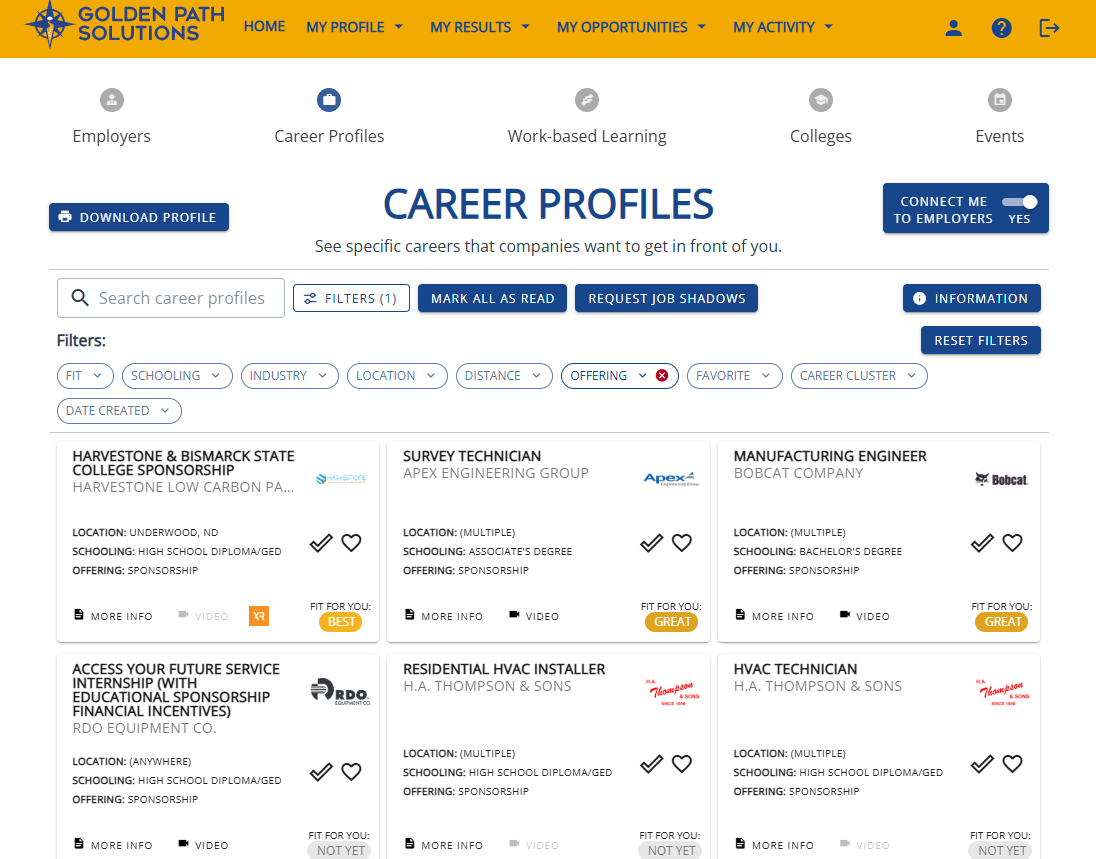
- Browse recommended Career Profiles to learn about real jobs at regional employers.
- Browse regional colleges and programs and see how they relate to careers.
- Filter Career Profiles for “Sponsorships” and see which careers offer full- or partial-tuition coverage in exchange for a signed work agreement.
- Check Compass regularly for new opportunities.
Contact Golden Path Solutions for more information.
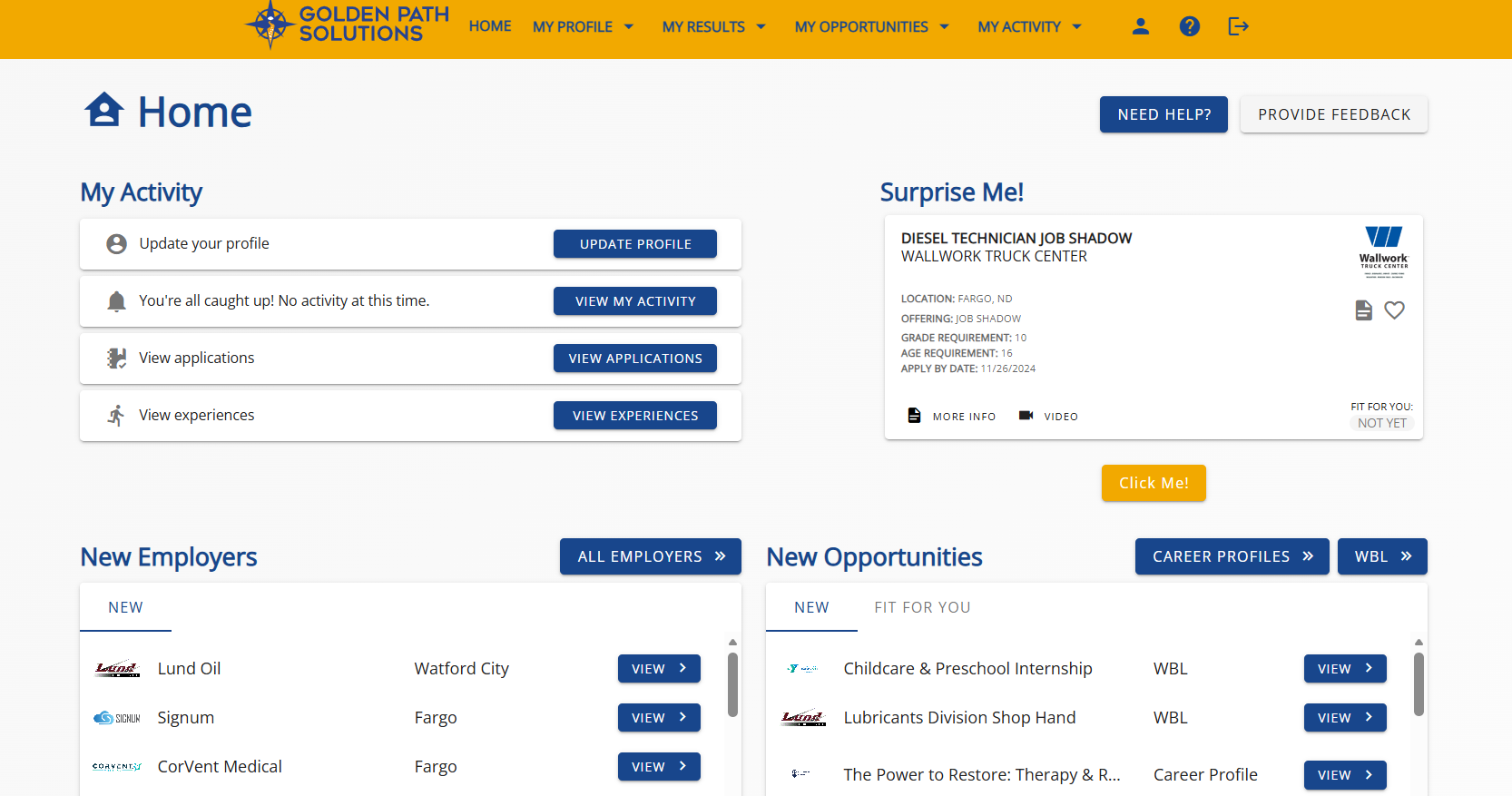
Your student now has access to Compass by Golden Path Solutions. This career exploration tool is available through Spuds Landing.
Your Student Now Has Access to Compass for Career Exploration
(December 2025)
Your student’s school is partnering with Golden Path Solutions in Fargo to provide all high school students with access to the career exploration platform Compass.
Golden Path connects high school students to employers across North Dakota and Minnesota to foster meaningful career exploration and build future workforce.
Students can use Compass to learn about employers, careers, work-based learning opportunities like internships, colleges and programs, and more. They can even learn about Sponsorships (work agreements in exchange for full- or partial-tuition reimbursement!)
Getting started is easy:
- Students can access Compass through Spuds Landing > Links > District Resources > Compass.
- Students fill out their profile by adding their high school classes and grades, activities, hobbies, interests, and personality assessment results.
- Compass then recommends careers, employers, and hands-on learning opportunities based on their skills and abilities.
- Students browse information, watch videos, save favorites, and contact employers or colleges if interested.
Contact Golden Path Solutions for more information.